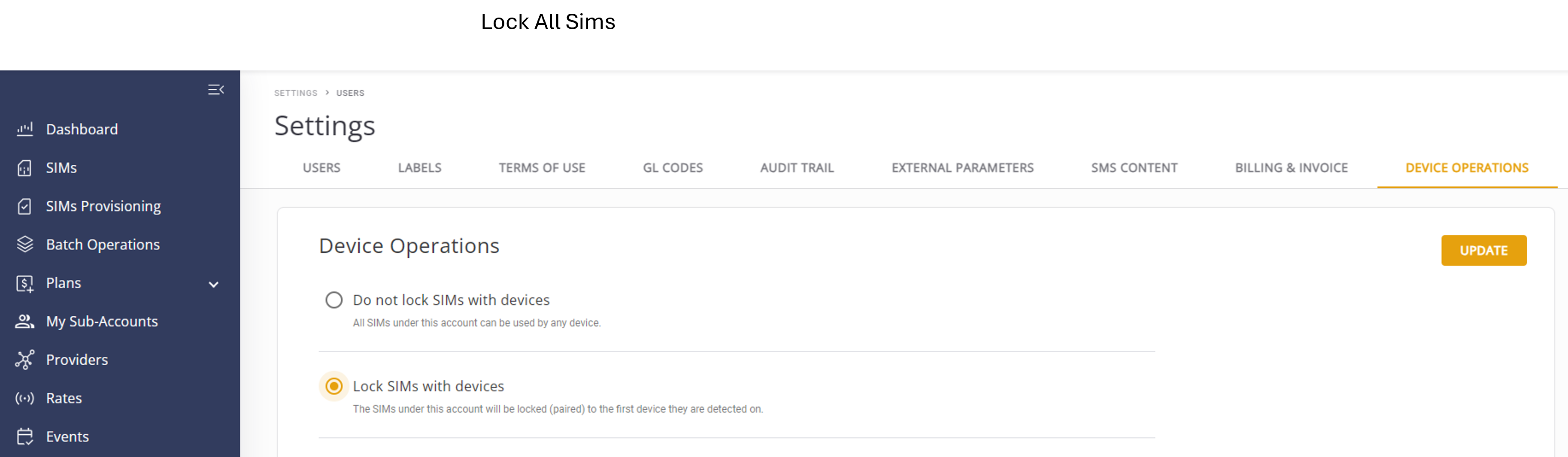
Device Operations
This feature enables users to lock and unlock a SIM based on the associated International Mobile Equipment Identity (IMEI). When the lock function is enabled, the SIM card can only be used with a specific device. If the SIM card is used for a different device, the system automatically suspends the relevant subscriber.
The SIM Lock feature supports these capabilities:
- Lock SIM to IMEI: Upon initial detection of an IMEI associated with a SIM card, the system automatically locks the SIM to that device. This ensures that the SIM is tied to a specific device, enhancing security and preventing unauthorized usage. Refer to
- Unlock SIM: Customers can unlock the SIM and transfer it to a new device. When the system detects a new IMEI associated with the SIM, it “unpairs” the previous device and automatically locks the SIM to the new device.
A screen capture of the Device Operations screen is shown here.
Lock All Account SIMs to IMEI
This feature enables users to lock and unlock all account SIMs based on the associated International Mobile Equipment Identity (IMEI). When the lock function is enabled, the SIM cards can only be used with a specific device. If the SIM cards are used for a different device, the system automatically suspends the relevant subscribers.
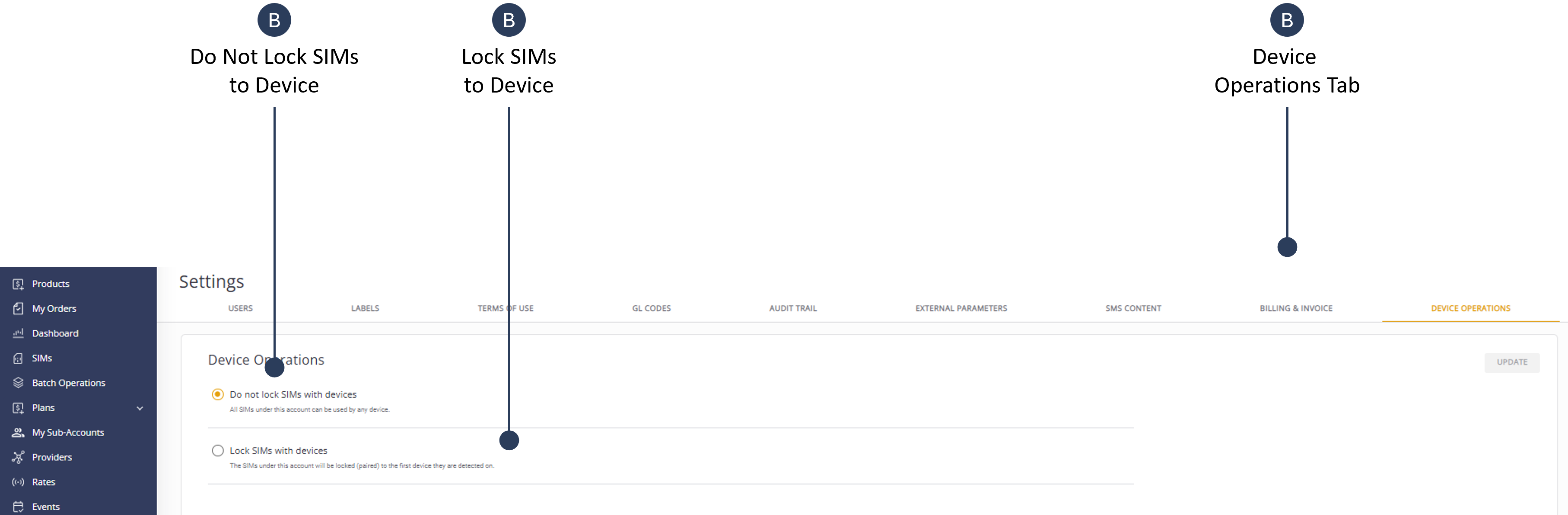
To lock all account SIMs to an associated IMEI, do these steps:
- Select Settings from the sidebar menu.
- Select the Device Operations tab.
- Select Device Operations to display the SIM lock dialog box.
- Check the Lock SIMs with Device option. All SIMs will be locked paired to the first detected.
- Click Update to lock SIMs to the associated device.
The system locks ("pairs") the subscriber to the first used IMEI. If the SIM is used in another IMEI (a different device) then the system suspends the subscriber.
Here is a screen capture of the lock all account SIMs option.