Display Steering ID in SIM Table
The SIM Management module helps you to understand how SIMs are routed and managed. When you access the SIM Management module, you can perform these Steering Tree actions:
- View assigned Steering Trees directly in the SIM table.
- View the active IMSI to monitor its current operational status.
- Assign a SIM to a Steering Tree ID directly from the SIM table or from the SIM Details page.
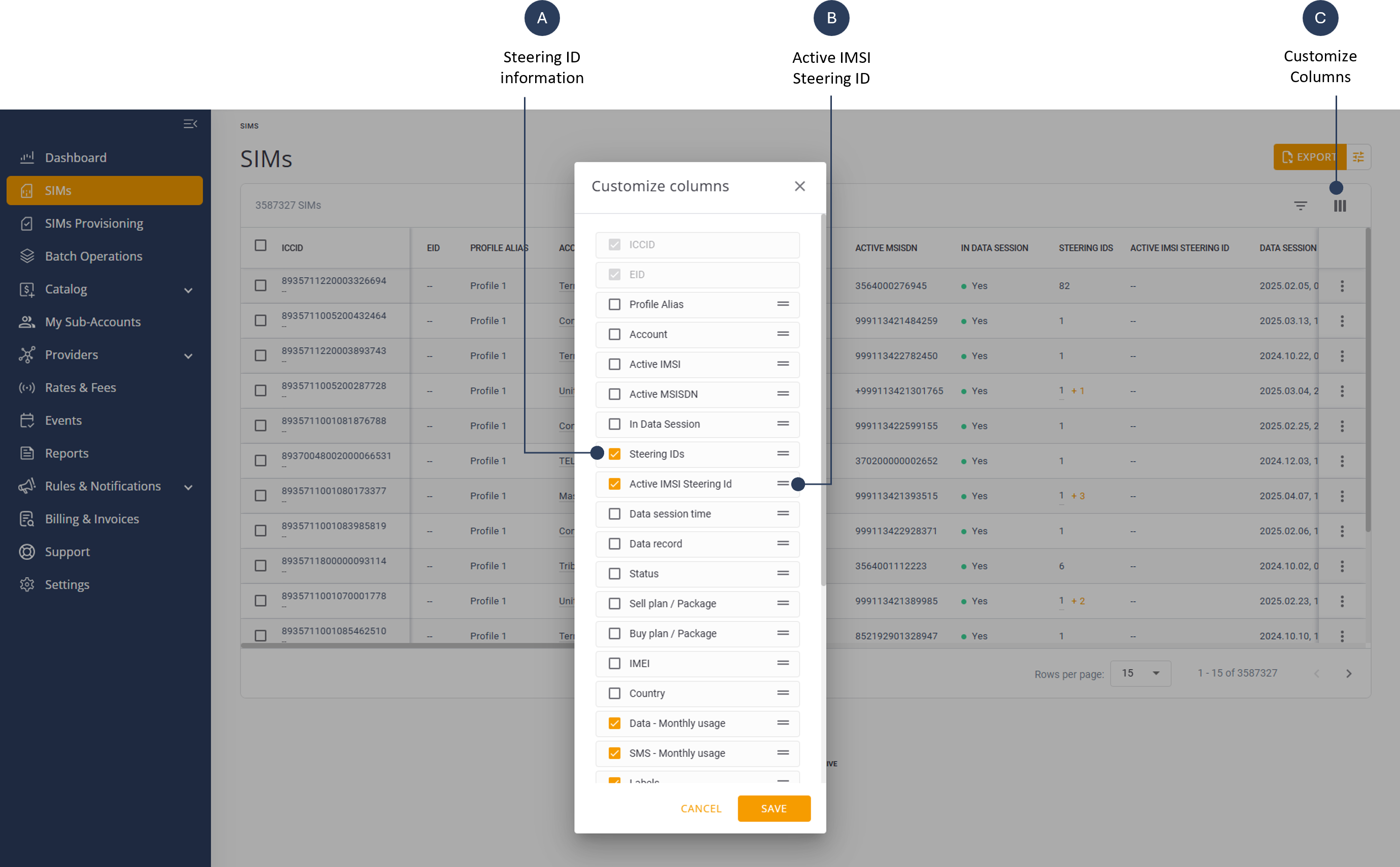
The Steering ID and Active IMSI ID columns are available in the table filter panel as shown here.
Display Steering ID
To display the Steering ID for a specific SIM, do these steps:
- Select SIMs from the sidebar menu. The SIMs table is displayed.
- Click Customize Columns on the table header to display a list of columns.
- Check the Steering IDs option to display in the SIM table.
- Drag and drop the selected column up or down as desired.
- Click Save to update the SIMs table.
- Scroll the SIMs table to view steering ID information for each SIM.
Display Active IMSI Steering ID
To display the Active IMSI Steering ID for a specific SIM, do these steps:
- Select SIMs from the sidebar menu. The SIMs table is displayed.
- Click Customize Columns on the table header to display a list of columns.
- Check the Active Steering ID option to display in the SIM table.
- Drag and drop the selected column up or down as desired.
- Click Save to update the SIMs table.
- Scroll the SIMs table to view Active Steering ID information for each SIM.