Top Up SIM
The Top-up action is available for:
- Single SIMs from the SIMs table
- Multiple SIMs from the SIMs table
- SIM on the SIM Info page
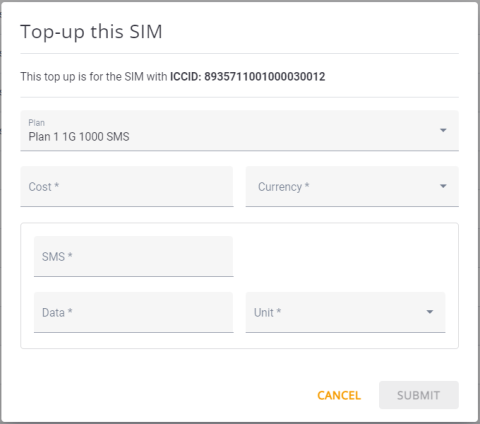
A screen capture of the Top Up dialog box is shown here:
Top Up Guidelines
Make sure you use these guidelines when you Top Up a SIM.
- A Top Up can be done on SIMs assigned to Money or Usage plans for the current billing cycle..
- You can Top UP a SIM assigned to a Money Plan with additional money for the current billing cycle.
- You can Top UP a SIM assigned to a Usage Plan with additional data, SMS or both, for the current billing cycle.
- You can set the price (cost) of the new quota.
- Topping Up changes only the quota of the current billing cycle. It does not change the quotas defined in the original Plan.
- You cannot top up SIMs that do not have an attached pllan.
- You cannot top up SIMs that are attached to a Pool Plan. You can, however, top-up the Pool Plan.
- When you top up a SIM with Multiple Plans, you must choose the plan you want to top up. You can top up only one plan at a time. The same rule applies when you top up multiple SIMs from the SIMs table.
NOTE: When you select multiple SIMs from the SIMs table, the ICCID identifier at the top of the dialog is not displayed.
To Top Up a SIM, do these steps:
- Select SIMs from the sidebar menu.
- Scroll the table of SIMs and click the Checkbox for a selected SIM.
- Go to the page header and click Top Up. The Top Up dialog box is displayed.
- Click the Plan field and select a plan associated with the SIM.
- Set the parameters in the Top-up this SIM dialog:
- Cost
- Currency
- Number of SMS
- Data volume + Units (Gigabyte, Kilobyte, Megabyte)
- Click Submit