View Notification Channels
The Notification Channels table contains a detailed list of all Email and HTTP Push notifications channels.
View Email Notification Channels
To view the Email Notification Channels, do these steps:
- Select Rules & Notifications | Notifications on the sidebar menu to display the Rules screen.
- Select the Notification Channels tab.
- Select the Email Notification Channelstab.
A screen capture of the Email Notification Channel screen is shown here.
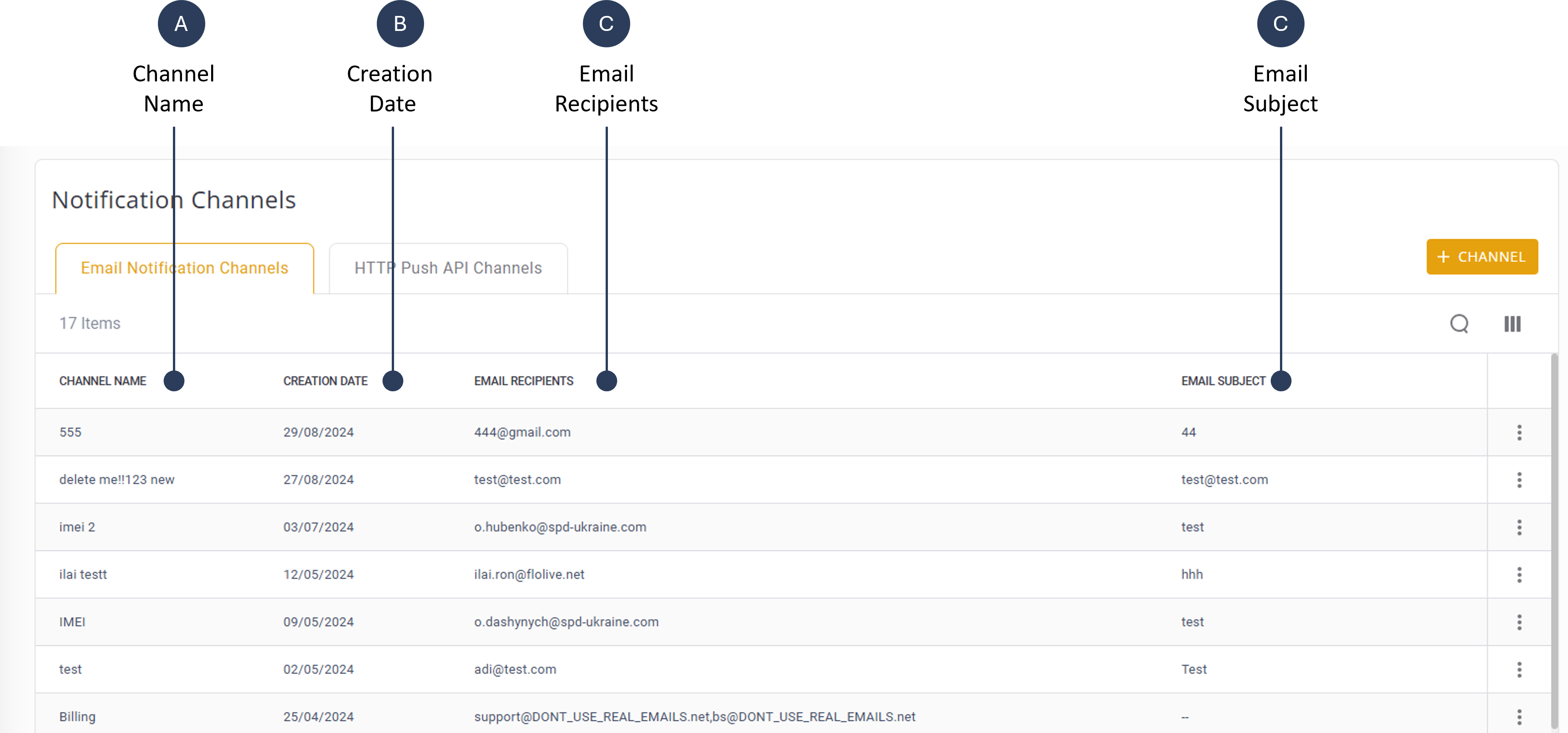
A description of the Email Notification columns is provided in this table.
| Attribute | Description |
|---|---|
| Channel Name | The name you gave the Notification Channel when you created it |
| Creation Date | The date you created the channel |
| Email Recipients | All Email recipients you listed in the channel when you created it; each channel can have multiple email recipients (separated by a comma (,) |
| Email Subject | The subject of the email(s) that are sent using this Email channel |
View HTTP Push API Channels
To view the HTTP Push API Channels, do these steps:
- Select Rules & Notifications | Notifications on the sidebar menu to display the Rules screen.
- Select the Notification Channels tab.
- Select the HTTP Push API Channelstab.
A screen capture of the HTTP Push API Channel screen is shown here.
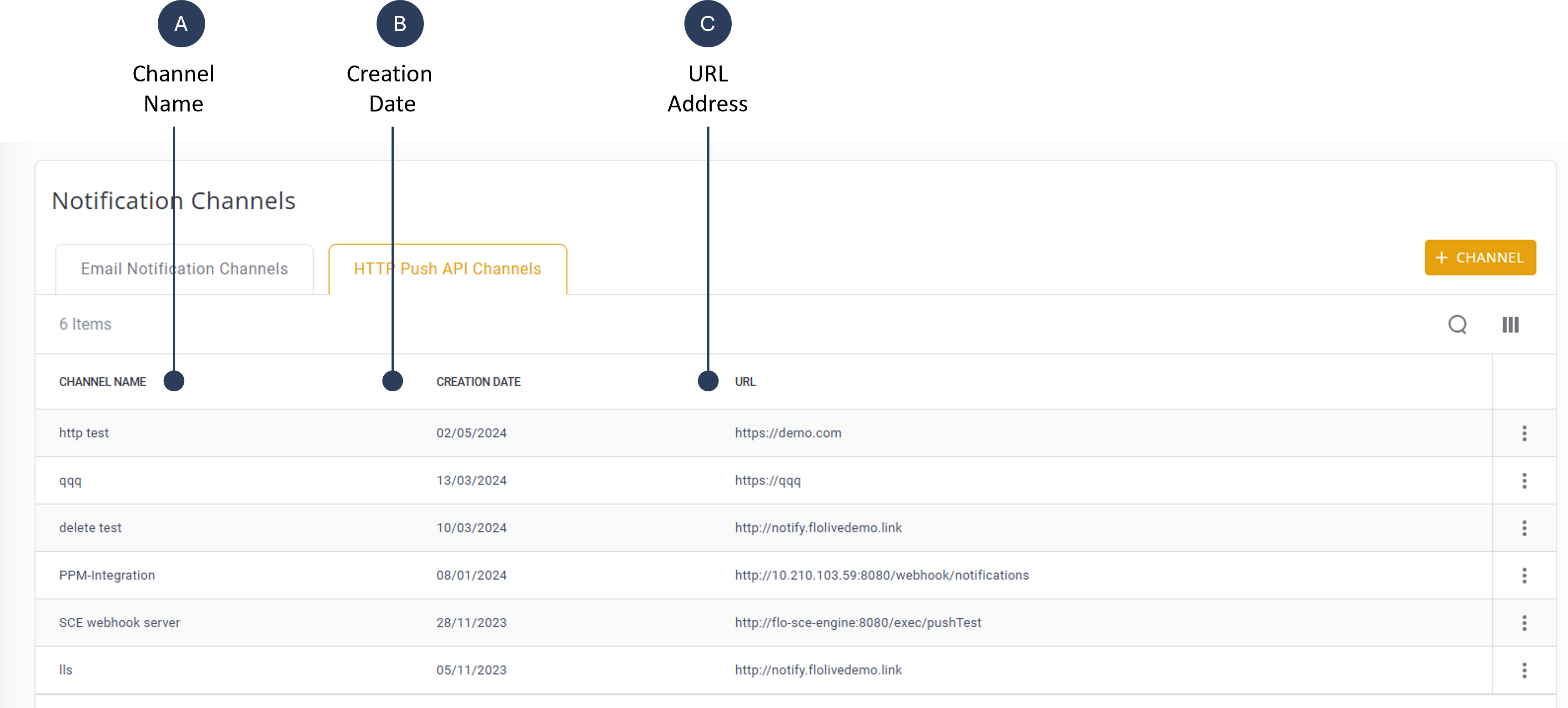
To view the HTTP Push API Notification Channels Table
- From the Navigation Bar, click Notification Channels. The Notification Channels table appears showing all Email Channels by default.
- Click the HTTP PUSH API CHANNELS tab. The HTTP Push API Notification Channels table is displayed in the table:
A description of the HTTP Push API Channels is provided in this table.
| Attribute | Description |
|---|---|
| Channel Name | The name you gave the Notification Channel when you created it |
| Creation Date | The date you created the channel |
| URL | The URL you defined as the target destination for this Notification Channel; each HTTP Notification Channel can have only one URL destination |