First Time Activated
The First Time Activated SIMs report shows a list of SIMs activated for the first time based on data sessions or network activity, according to the selected filters and timeframe. The report helps customers identify newly activated SIMs to facilitate internal business actions such as invoicing and notifications.
NOTE: Only SIMs activated for the first time within the defined period are included in the report. For example, a SIM activated on 10/1/24 will appear in a report covering 1-31/1/24 but not in 1-31/2/24.
To generate a First Time Activated SIMs report, do these steps:
- Select Reports from the sidebar menu.
- Select the View Reports tab.
- Go to the Report Type field and select First Time Activated Reports from the list.
- Select one or more Accounts to include in the report.
- Select a SIM Identifier Type (optional).
- Select a Date Range option:
- Today
- Yesterday
- Last 7 Days
- Last 30 Days
- Month-to-date
- Previous Month
- Custom Date
- Select the appropriate Service Type (optional).
- Click Execute to generate the report.
- Click Export to download the report in .csv format.
TIP: To edit the report, modify the report filters and click Execute again.
A screen capture of the First Time Activated Reports is shown here.
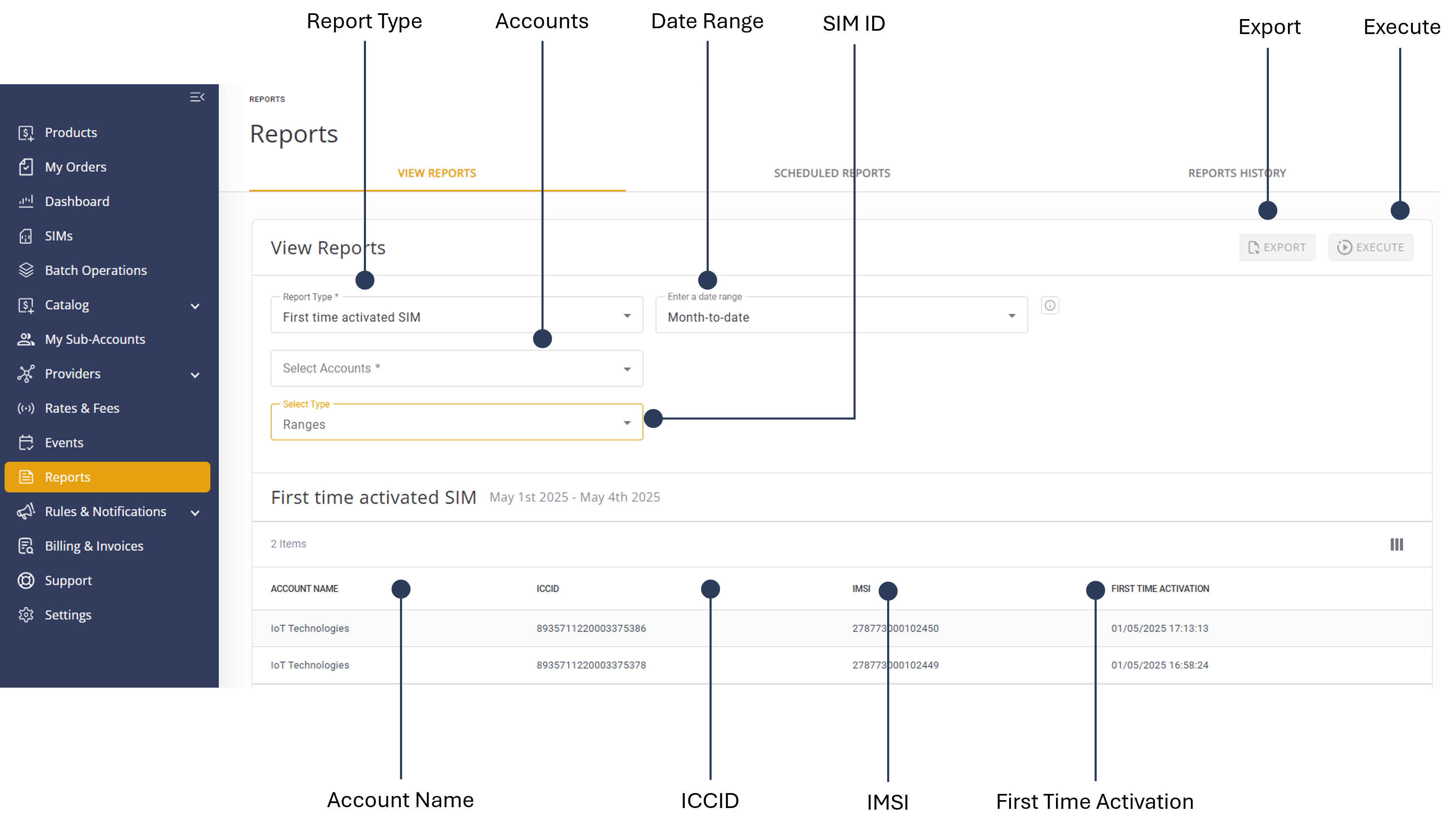
A description of the report parameters is provided in this table.
| Attribute | Description |
|---|---|
| Account | The account in which the service usage was invoked |
| Date | The date the service usage was invoked |
| ICCID/IMSI | The SIM ID |