Customer Summary Report
Contains a summary breakdown of all direct sub-account charges and usages.
A screen capture of the Customer Summary report is shown here.
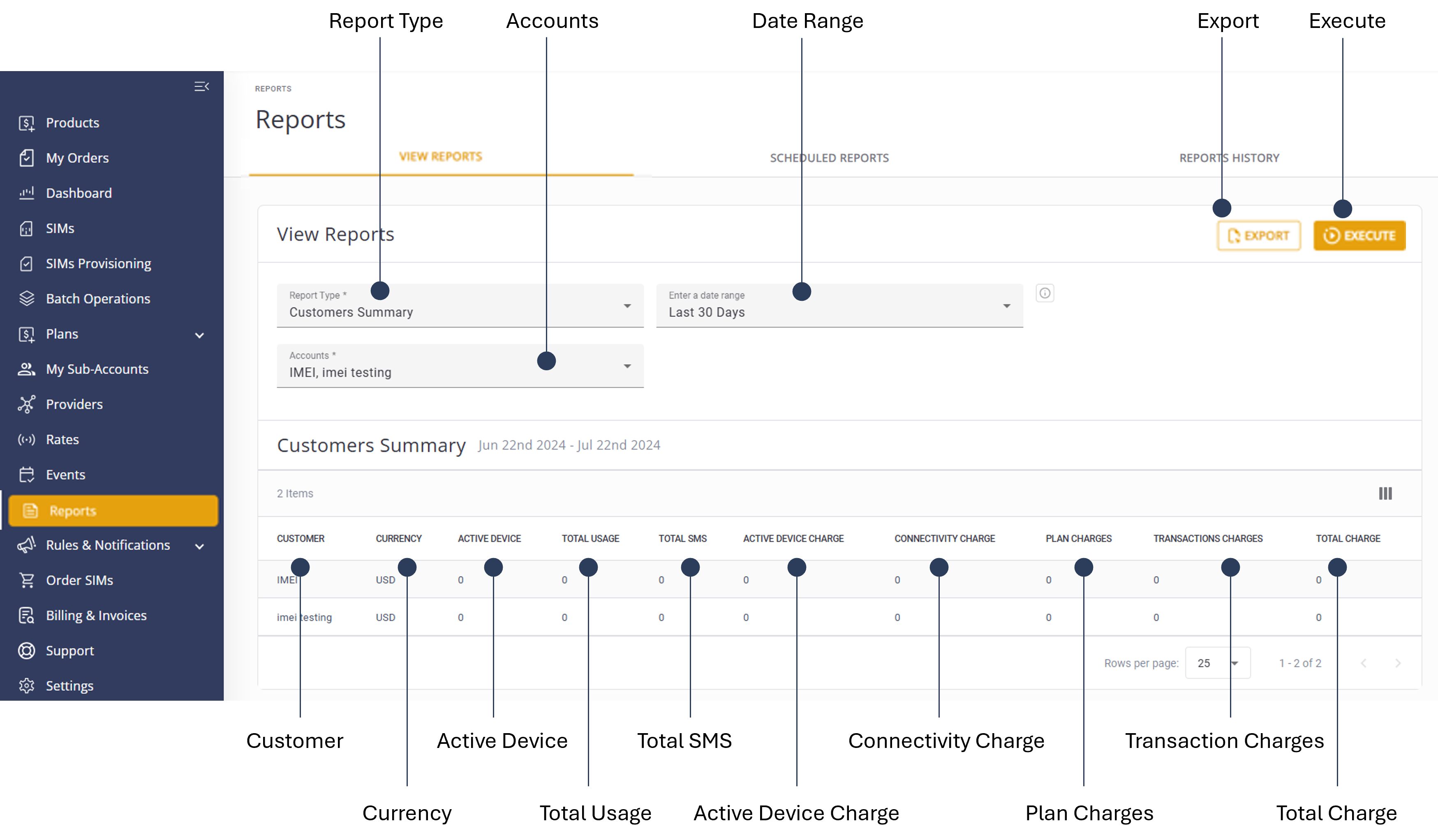
To generate a Customer Summary report, do the steps:
- Select Reports from the sidebar Menu.
- Select the View Reports tab.
- Report Typeand select Customer Summary from the list.
- Select one or more Accounts to include in the report.
- Select a Date Range option:
- Today
- Yesterday
- Last 7 Days
- Last 30 Days
- Month-to-date
- Previous Month
- Custom Date
- Click Execute to generate the report.
- Click Export to download the report in .csv format.
NOTE: To edit the report, modify the report filters and click Execute again.
A description of the report parameters is provided in this table.
| Field | Description |
|---|---|
| Customer Name | The name of the sub-account customer. |
| Currency | The account's currency. |
| Active Device | The number of active devices (IMSI or SIM) according to account settings. |
| Total Usage | The total data usage for the account. |
| Total SMS | The total SMS MO usage for the account. |
| Active Device Charge | Calculated as the number of devices multiplied by the device cost, according to account settings. |
| Connectivity Charge | The total charge for account connectivity, including data and SMS costs. |
| Plan Charges | Charges for the account plans. |
| Transactions Charges | Charges for account TDR transactions. |
| Total Charge | The sum of device charges, connectivity charges, plan charges, and transaction charges. |