Export Rate Data Features
The Export Rate data feature enables customers to export Buy and Sell Rates per sub-account for analysis or record-keeping.
A description of the Export Rate Data features is provided in this table.
| Aspect | Details |
|---|---|
| Available Export Types |
|
| Content of Exported File |
|
| Data Columns in Export | Provider, Country, Local Operator, PLMN, Currency, Data Cost, Data Price, SMS Cost, SMS Price, Margin (%), Margin Type |
| File Format and Naming |
|
| Historical Data Export | Users can export historical files based on effective dates |
| Special Indicators | Blocked rates are marked; rates blocked by parent are not included in export |
A screen capture of the Export Rates interface is shown here.
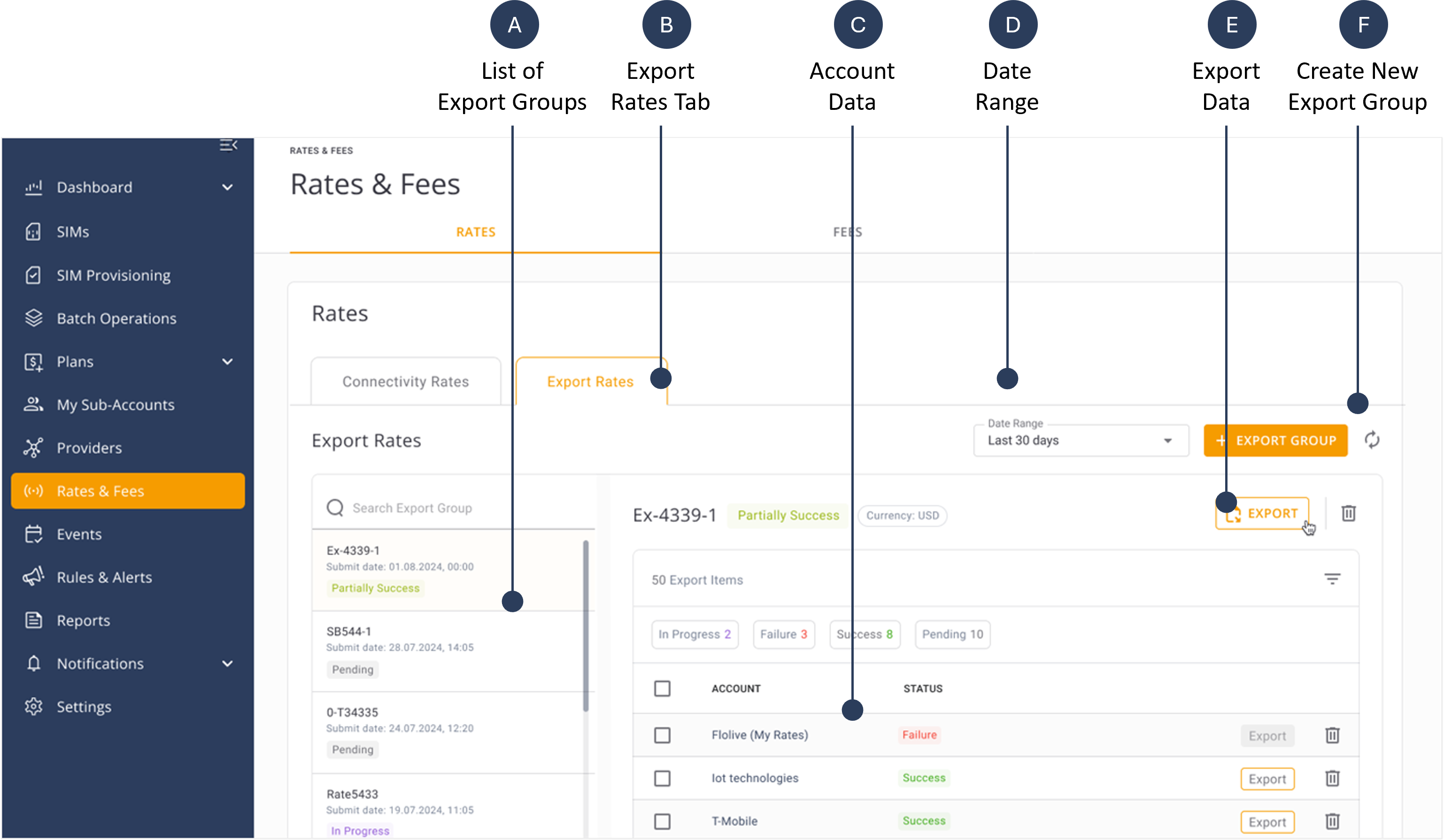
A description of the Export data fields is provided in this table.
| Concept | Description |
|---|---|
| List of Export Groups | Displays a list of saved export configurations that specify how and what data to export. |
| Export Rates Tab | The dedicated section in the CMP Portal where users configure and initiate the export of buy or sell rates. |
| Account Data | A list of the accounts included in the Export Rate Group. |
| Export Status | Indicates whether an export job is pending, in progress, successfully completed, or failed. |
| Date Range | The specific period of time to filter historical rate export files.. |
| Export Data Button | The user interface element that, when clicked, triggers a download file operation |
| Create New Export Group | An option that allows users to submit a request to start export rate generation for one or more accounts . When the file is ready, the status is changed to Success and the export rate file(s) can be downloaded. |