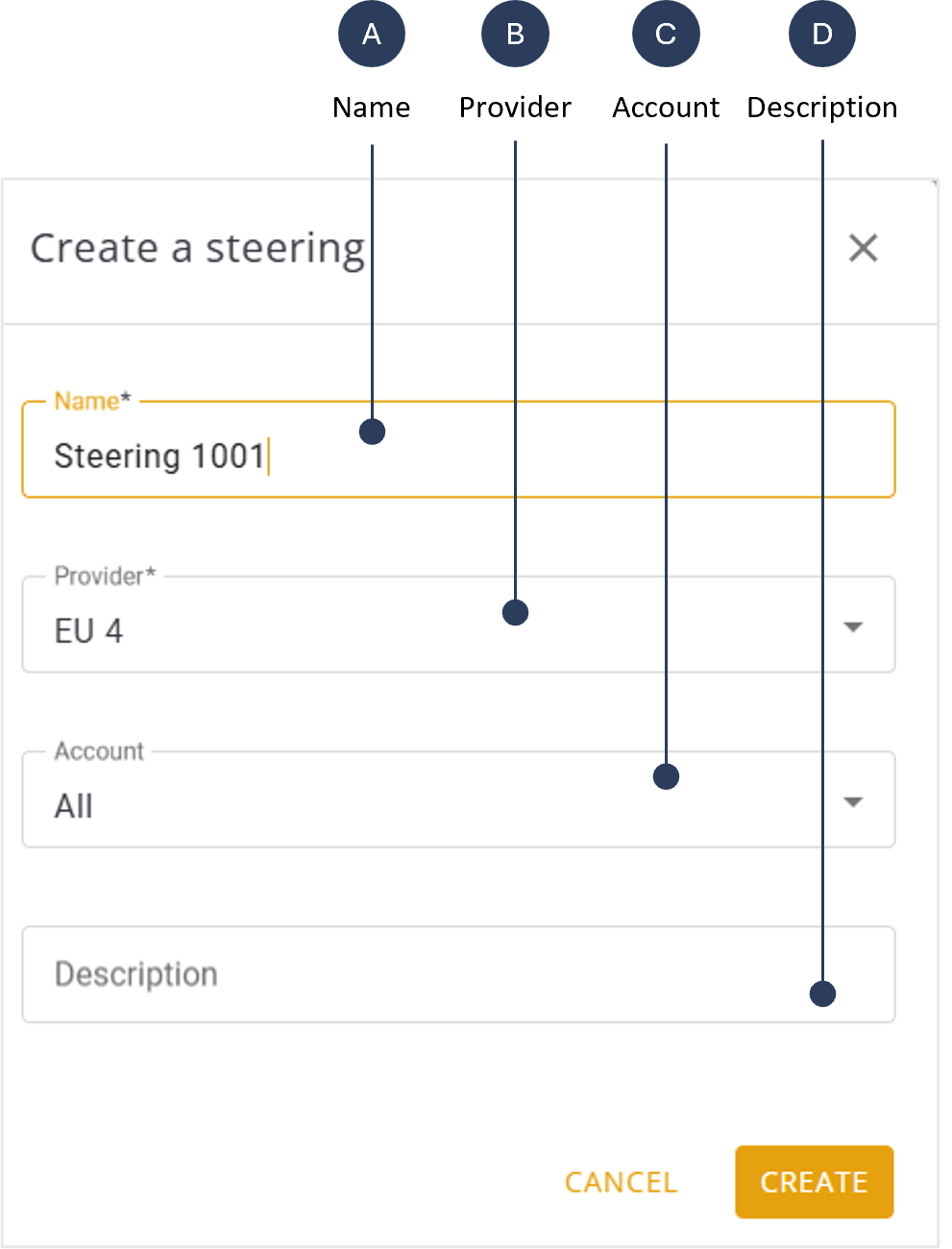
Create New Steering Tree
To create a new steering tree, do these steps.
- Select Providers | Steering Management from the sidebar.
- Click the + Steering button in the right corner of the screen. The Create New Steering Tree is displayed.
- Enter a Name for the new steering tree.
- Select a Provider from the list.
- Select an Account (default is All).
- Enter a Description to provide details of the steering tree (optional).
- Enter a code in the Custom REL Code field. This is the reject code number of this specific steering tree, meaning if the device tries to register in a network that does not listed in this steering tree it will be rejected with the specified REL code.
-
The need is for special cases that require not default REL code
- Click Create to add to list of steering trees.
A screen capture of the Create New Steering Tree is shown here.