View Allocated Products
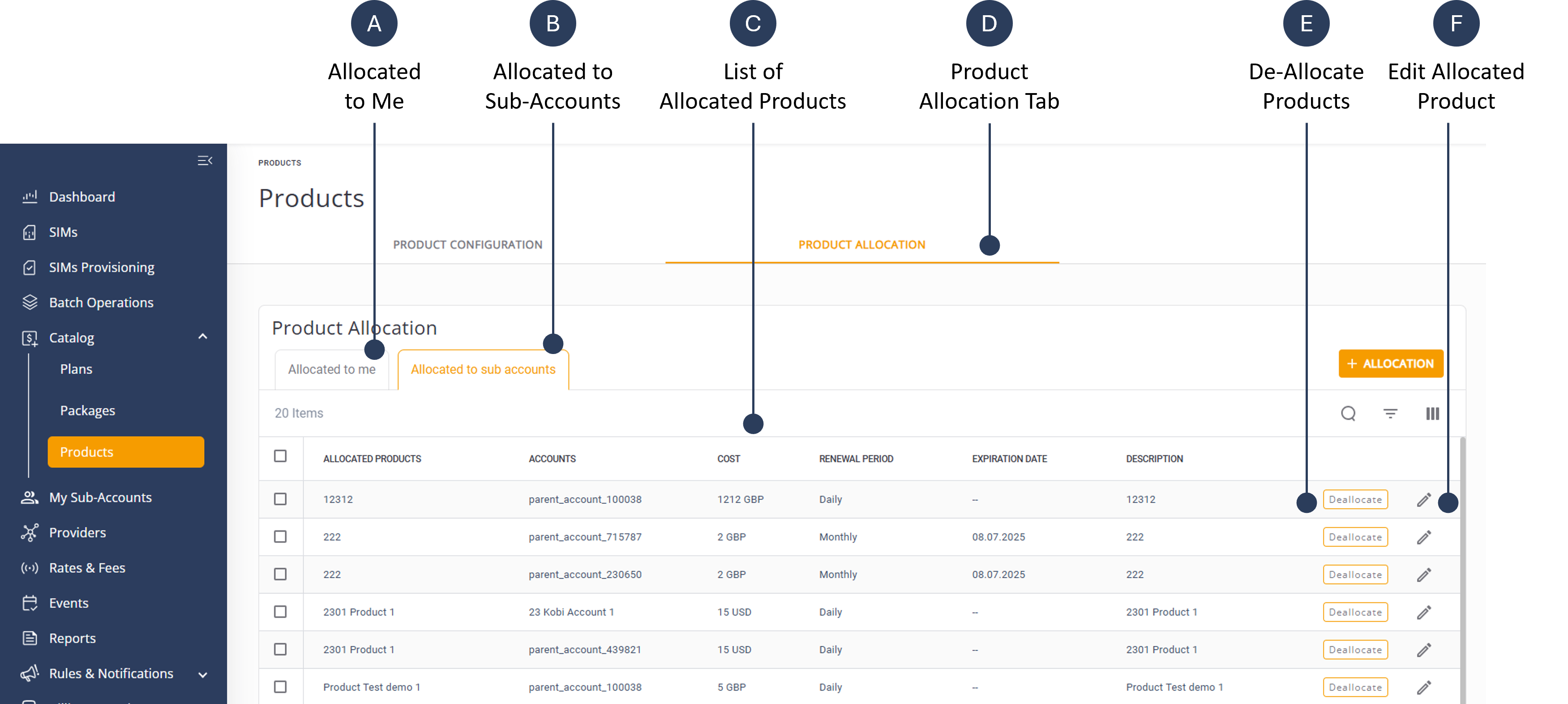
The Product Allocation tab contains tow options:
- Allocated to Me: Displays a list of products allocated to the user by the Parent Account.
- Allocated to Sub-Accounts: Displays a list of products allocated by the logged in user to one or more sub-accounts.
To view the Allocated Products to Me, do these steps:
- Select Catalog | Products from the sidebar menu.
- Select the Product Allocation tab.
- Select the Allocated to Me tab. A list of allocated products is displayed.
To view the Allocated Products to Sub-Accounts, do these steps:
- Select Catalog | Products from the sidebar menu.
- Select the Product Allocation tab.
- Select the Allocated to Sub-Accounts tab. A list of allocated products is displayed.
A screen capture of the Allocated Products page is shown here.