Update Customized Plan Rate
To update a Customize Plan Rate, do these steps:
- Select Catalog |Plans from the Navigation sidebar.
- Select the Regular Plans tab.
- Click the appropriate Customized Plan Rate to display the plan details page.
- Select the Customize Rates tab.
- Click Update Rates to display the Customize Rates dialog box.
- Click Upload Mode and select the desired action from the list:
- New/Update
- Delete
- Full Upload
- Select an Excel file and click Upload. The rates table displays the updated data.
A screen capture of the Customize Rate dialog box is shown here.
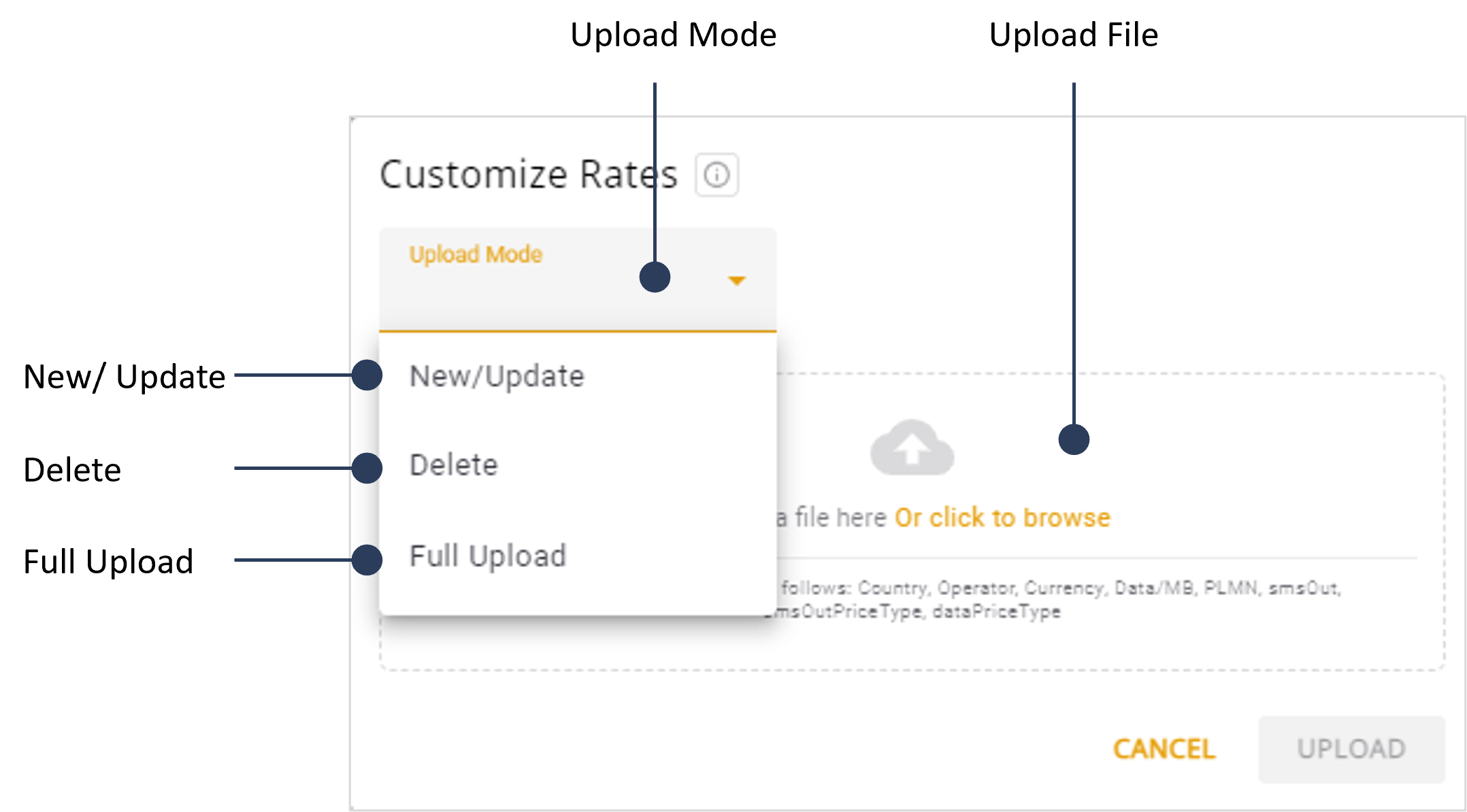
A description of the Upload Modes is provided in this table.
| Upload Mode | Description |
|---|---|
| New / Update | Add new rates from the Excel file that are not yet in the system or update existing rates that have changed. |
| Delete | Remove rates listed in the Excel file from the system. Rates that are not included in the Excel file will remain untouched, ensuring only the specified rates are deleted. |
| Full Upload | Replace all rates in the system with those from the Excel file. New rates will be added, existing rates will be updated, and any rates not found in the Excel file will be removed, keeping the system current. |
The Excel file contains these parameters.
| Parameters | Description |
|---|---|
| Country | The country where the rate plan is applicable. |
| Operator | The service provider associated with the rate plan |
| Currency | The type of currency used for pricing the rates. |
| Data MB | The rate of a single unit of for 1 megabyte. |
| PLMN | The Public Land Mobile Network identifier for the operator. |
| smsOut | The rate for a single SMS. |
| smsOutPriceType | The pricing structure for outgoing SMS messages (e.g., fixed price, block). |
| dataPrice Type | The pricing structure for data usage (e.g., fixed price, block). |