Top Up Pool Plan
You can add Data and/or an SMS allowance to Top Up the balance of a Pool Plan.
NOTE: You need to attach a Pool Plan to at least on e SIM before you perform the Top Up procedure.
To top up a Pool Plan, do these steps:
- Select Catalog |Plans from the Navigation sidebar.
- Select the Pool Plans tab.
- Click a Pool Plan listed in the table to display the Pool Plan Details page.
- Select the Plan Instances tab.
- Click the Top Up button to display the top up options.
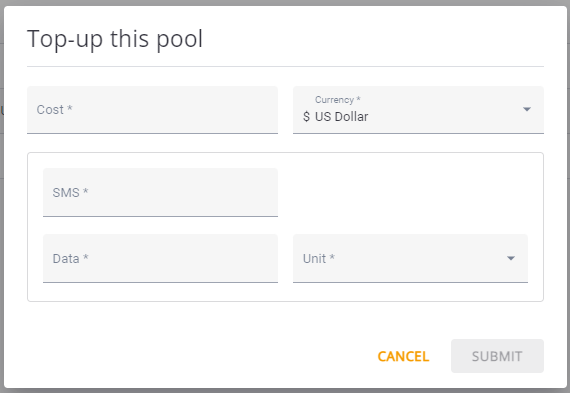
- Enter a value in the Cost* field.
- Select the applicable Currency*.
- Specify the additional allowance for SMS and Data.
- Click Update to complete the Top Up operation.
A screen capture of the Top Up dialog box is shown here.