View Plan Instances
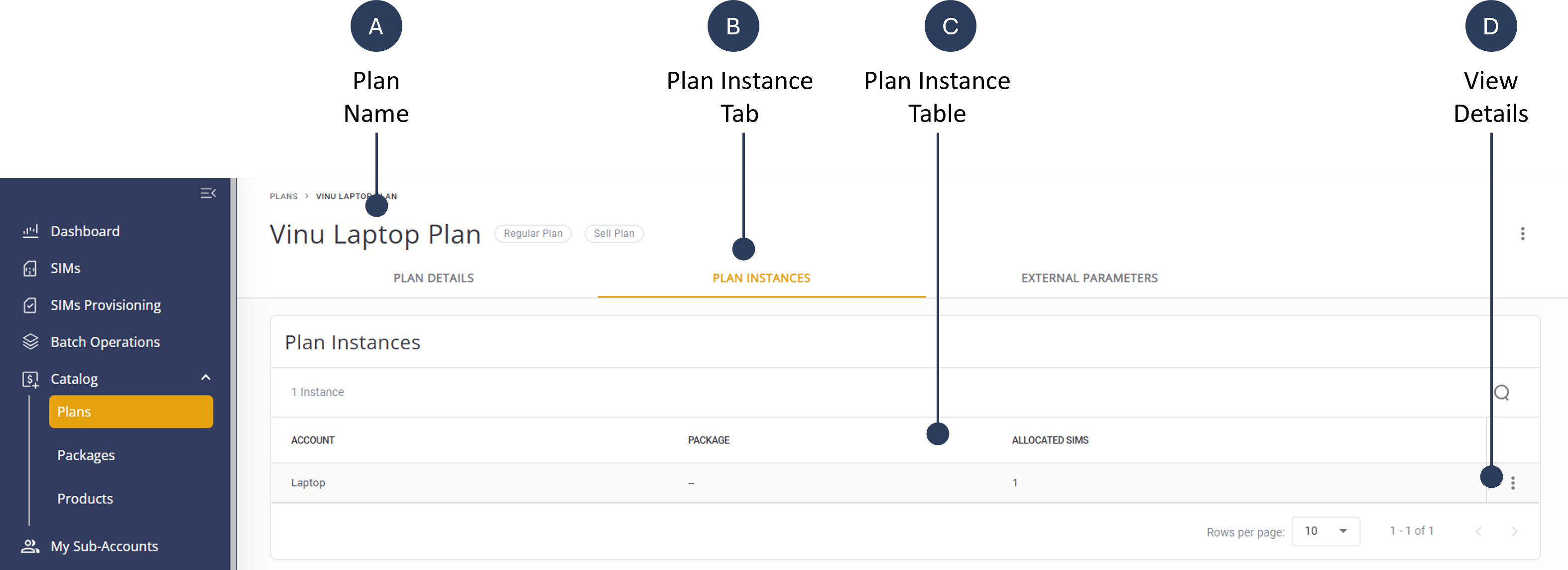
The Plan Instances tab contains a table with key information about how a selected plan is associated with a SIM card.
A screen capture of the Plan Instance table is shown here.
To view the Plan Instances table, do these steps:
- Select Catalog | Plan from the sidebar.
- Select the Regular or Pool Plans tab. The Sell plans table is displayed (default).
- Scroll the Plan table and click a row to display the Plan Info page.
- Select the Plan Instancestab to view the table of plan instance.
The Plan Instance table includes this information.
| Column Label | Description |
|---|---|
| Account | Displays the name or identifier of the account associated with the plan. |
| Package | Details the specific package assigned to the account. |
| Allocated SIMs | Shows the number of SIM cards allocated under that plan. |
Users can click on each instance (or row) in the table to open a Detailed Info dialog box.
A screen capture of the Instance Details dialog box is shown here.
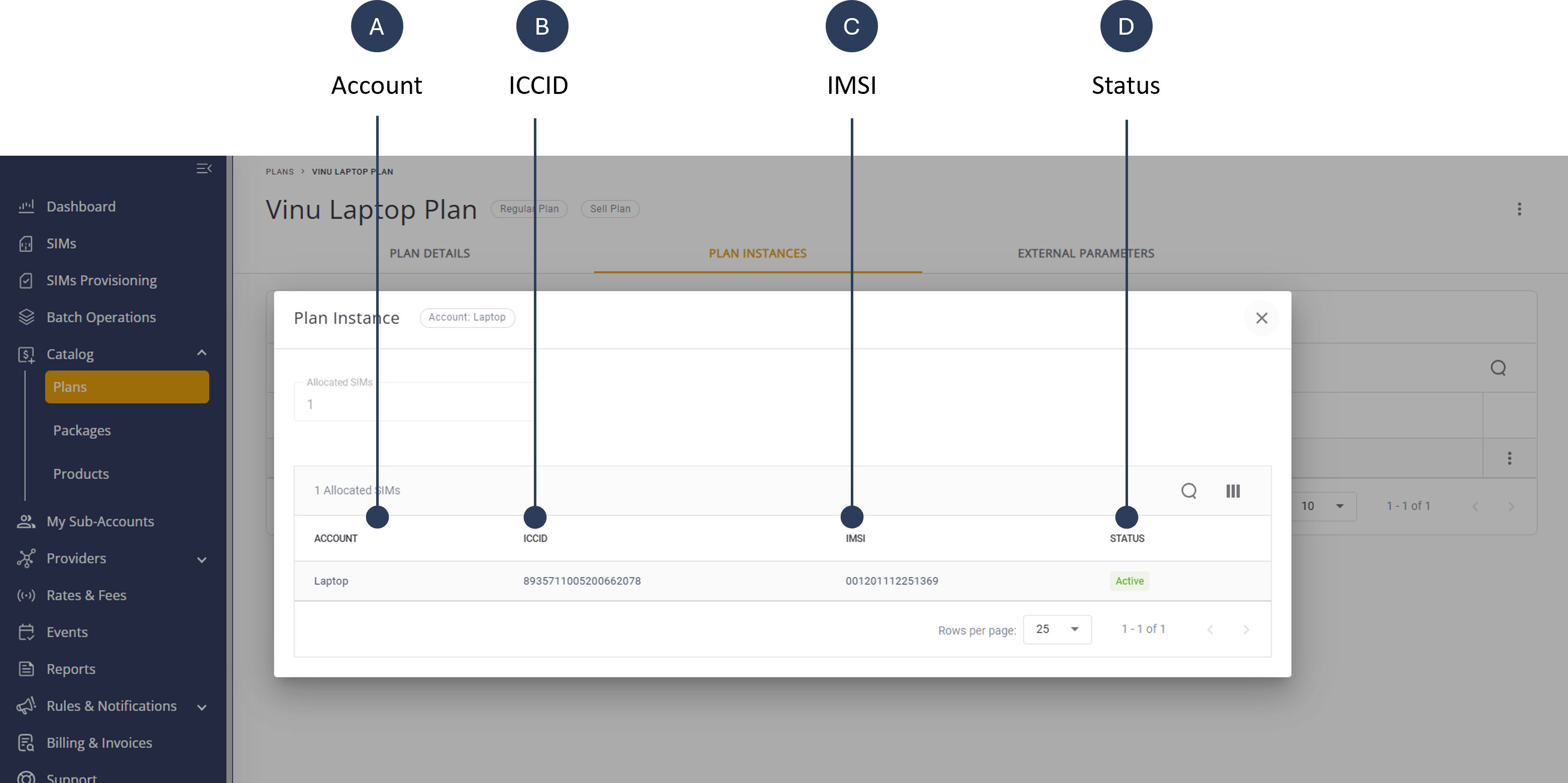
The Instance Details dialog box displays this information:
| Column Label | Description |
|---|---|
| No of Allocated SIMs | The total count of SIMs associated with that particular plan instance. |
| Account Name | he name of the account linked to the plan. |
| ICCID | The Integrated Circuit Card Identifier for each SIM. |
| IMSI | The International Mobile Subscriber Identity for network identification. |
| Status | Indicates the operational status of the SIM, such as active, suspended, or other relevant states. |