Delete Plan
In general, you should remove plans that are not used by your customers. It is recommended that you delete a plan in these circumstances:
- The plan is out-dated or has been replaced by a different plan.
- The plan contains errors or inaccurate information.
- The plan is not used or is no longer needed.
IMPORTANT: You can delete a plan when it is not attached to a SIM. If a plan is attached to a SIM card the delete function is disabled.
A screen capture of the Delete Plan feature is shown here.
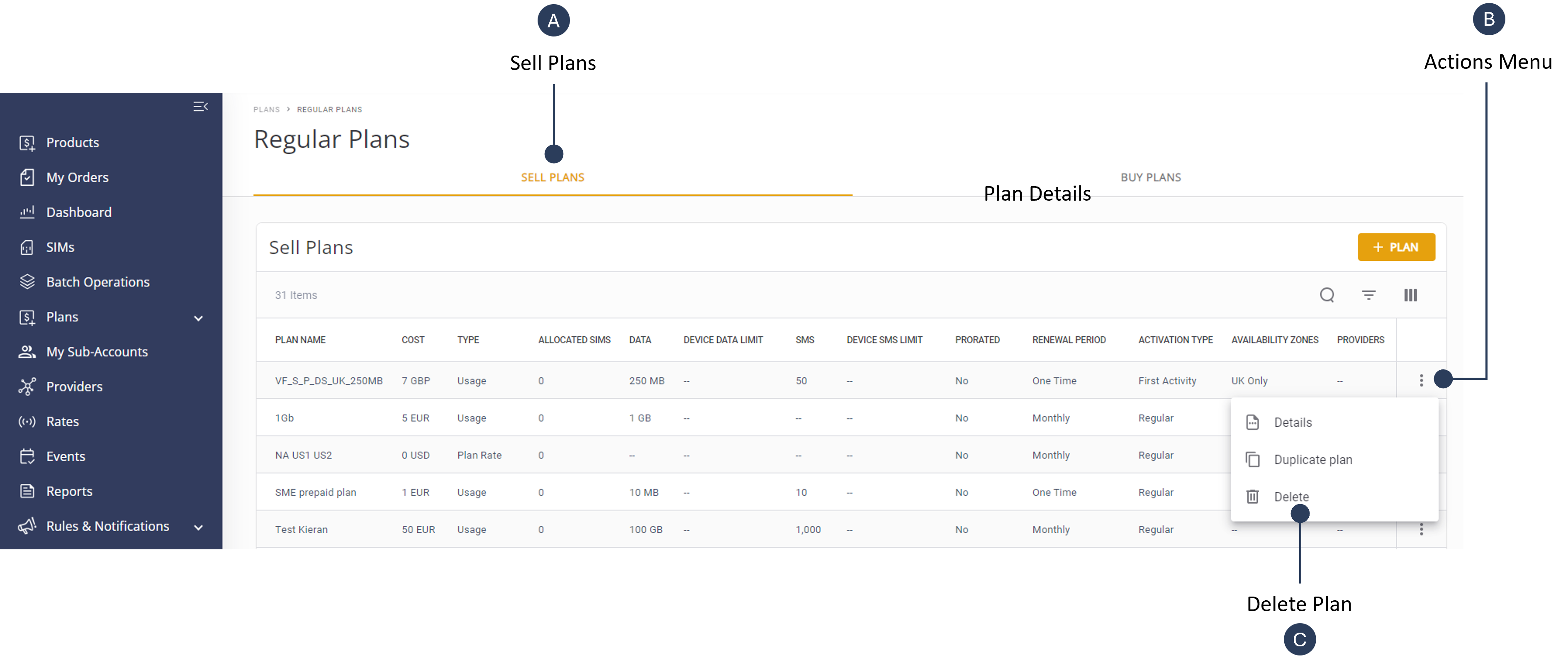
To delete a plan , do the steps:
- Select Catalog | Plan from the sidebar.
- Select the Regular or Pool Plans tab.
- Select the Sell Plans tab and scroll the table to select the plan you want to delete.
- Click the Actions icon and select Delete.
- Click Delete when the confirmation message is displayed.