Package Guidelines
A Package is designed to contain one or multiple plans up to the maximum allowed for a single subscriber. Each package may contain these types of plans:
- Regular Type Plans: Usage, Money, Account Rate, Plan Rate.
- Pool Type Plans: The pool plans must be different.
- Hybrid Plans: Consists of both regular and pool plans.
Make sure you use these guidelines when you create a package.
| Action | Description |
|---|---|
| Package Creation | There are no restrictions regarding the number of Packages that you can create. |
| Package Deletion | A Package can only be deleted from the catalog if it is detached from the SIM. When you delete a Package, all included plans within the package are automatically removed. |
| Package Modification |
|
It is important to note these limitations when you attach a package to a SIM.
- The sub-account is tagged as ‘Allow customer to attach SIMs to Buy Plan/Package’ by the parent account.
- There is at least one Plan/Package marked as eligible for use by the sub-account.
- A SIM may only be attached to either a Package or individual Plan(s) at any given time, but not both simultaneously.
A screen capture of the Packages page is shown here.
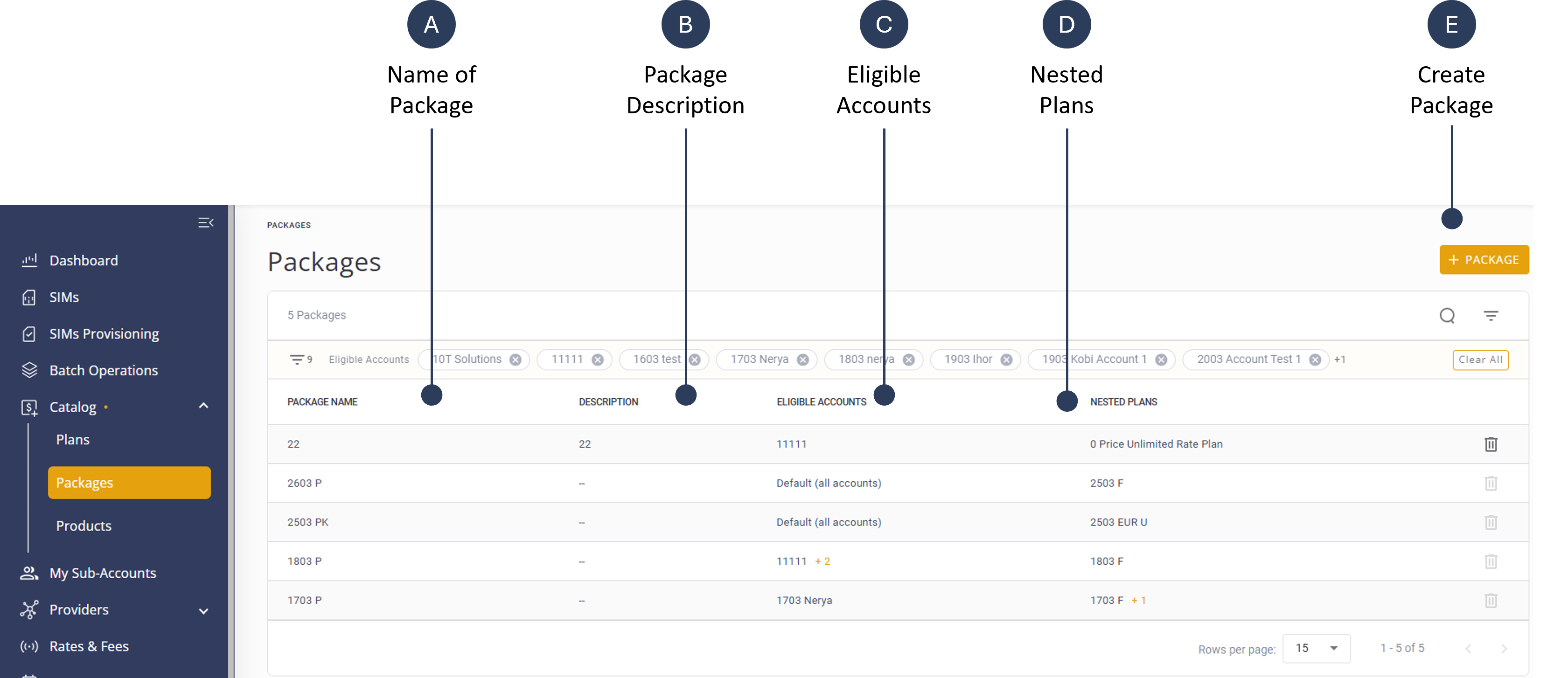
The Package page contains list of defined packages. For each package, the table displays the information described in this table.
| Property | Description |
|---|---|
| Package Name | A short name to identify the package. |
| Package Description | A detailed free-text field that describes the package, the included plans, and terms. For example, “Onetime activation fee: $1 + monthly $2 including 1GB US only + $1.5 for 500MB EU only and generic account rate for using in the rest of the world.” |
| Eligible Accounts | Defines which sub-accounts can manage the package based on settings from the parent account. A package can be attached to any of these account options: all sub-accounts; multiple sub-accounts; a single sub-account or no sub-accounts. |
| Nested Plans | The specific plans incorporated within the Package. |