Create New Package
You can create a Sell Package and attach to your sub-account SIMs, or enable your sub-accounts to Self-Attach the plans you create.
NOTE: There are no restrictions regarding the number of Packages that you can create.
To create a new package, do these steps:
- Select Catalog | Packages from the sidebar menu.
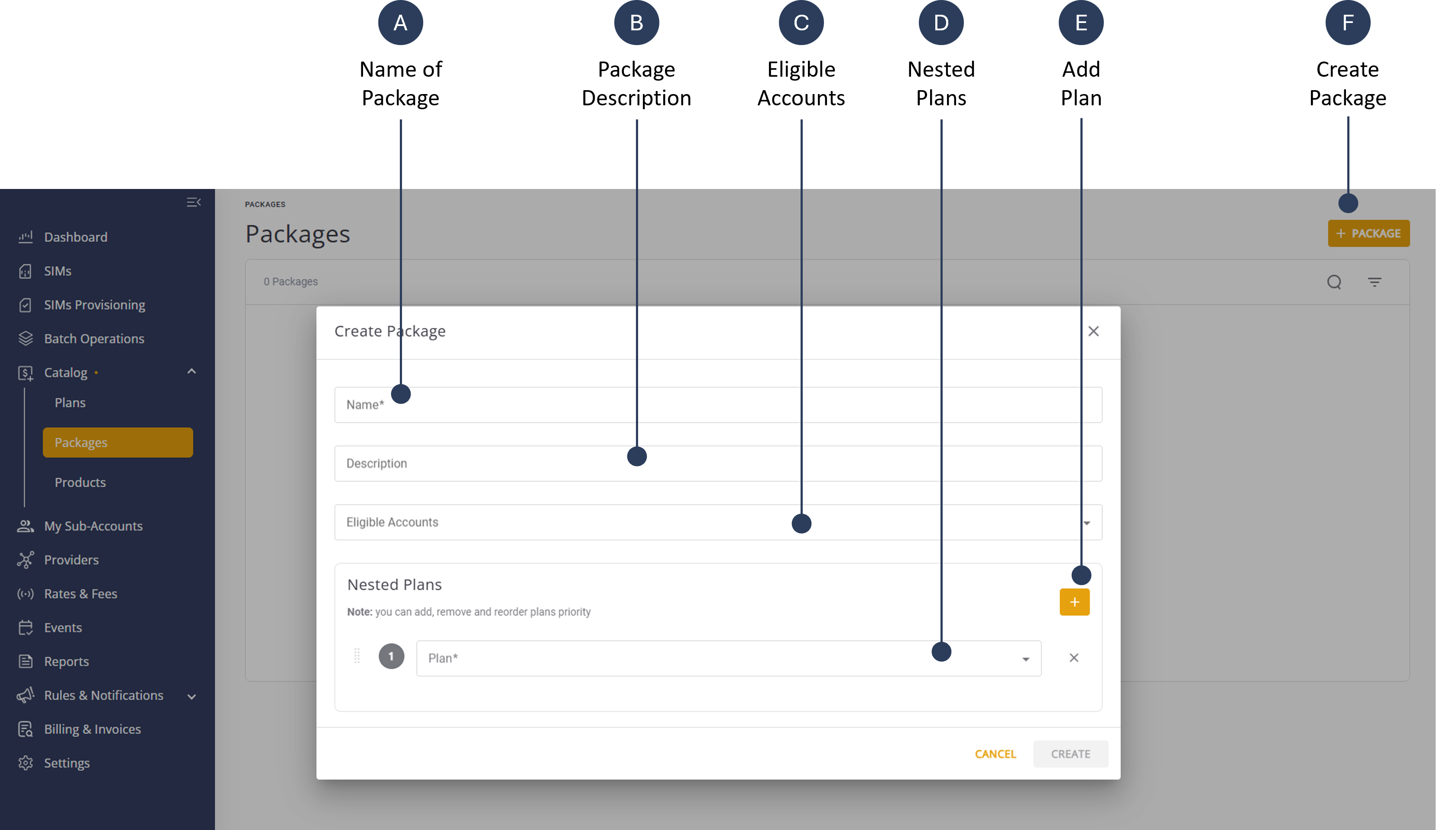
- Click + Package to display the Create New Package dialog box.
- Type a Name for the new package.
- Add a short Description for the new package.
- Go to the Nested Plans group and click the + button.
- Select one or more Plans to include in package.
- Click Create to save package.
NOTE: You can add remove or reorder the plan priority in the Nested Plans group.
A screen capture of the Create New Package dialog box is shown here.