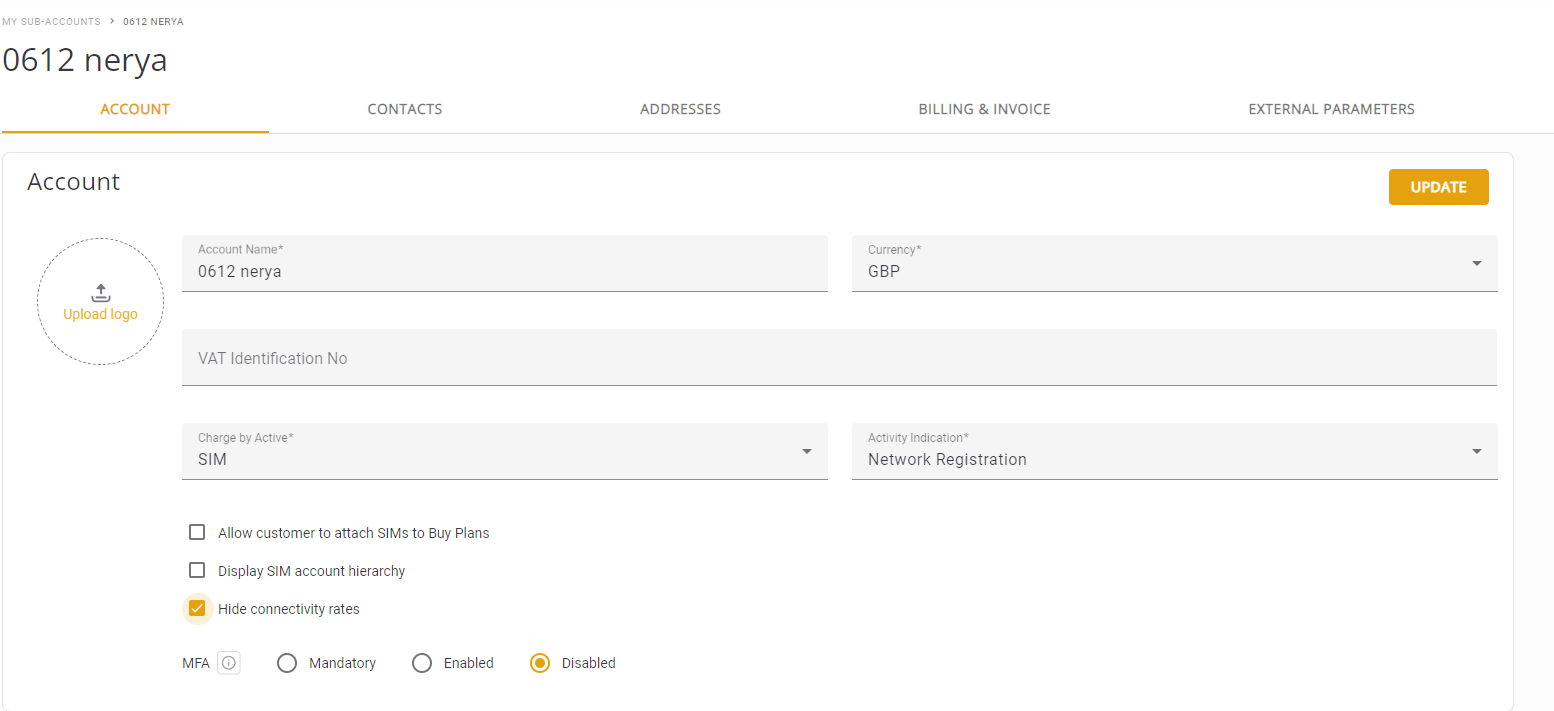
Hide Connectivity Rate
This feature enables parent accounts to restrict access to the connectivity rates for certain sub-accounts. The need for this feature is because some Service Providers (SP) or Mobile Network Operators (MNO) offer only package plans to their sub-accounts and may not want to allow access to the connectivity rates view.
NOTE: When you hide the connectivity rate for an account, all child accounts inherit this limitation and cannot view the price of the connectivity rate.
How It Works
This hide connectivity rate is based on these principles:
-
Parent Account Control: The parent account (e.g., "A") can choose to hide the option to access connectivity rates for its sub-accounts. In this case, sub-accounts will not be able to view the connectivity rates . The sub account is still able to access the rates module in order to allow the sub account available networks view.
-
Cascade Effect:A process in which the creation of a new sub-account (e.g., "C") under an existing sub-account (e.g., "B") prevents the new sub-account from accessing connectivity rates. This effect ensures consistent access control throughout all levels of sub-accounts..
Hide Connectivity Rate for New Account
To hide connectivity rates for a new account, do these steps:
- Select My Sub-Accounts from the sidebar menu.
- Click the +Account button to display the Create New Account dialog box.
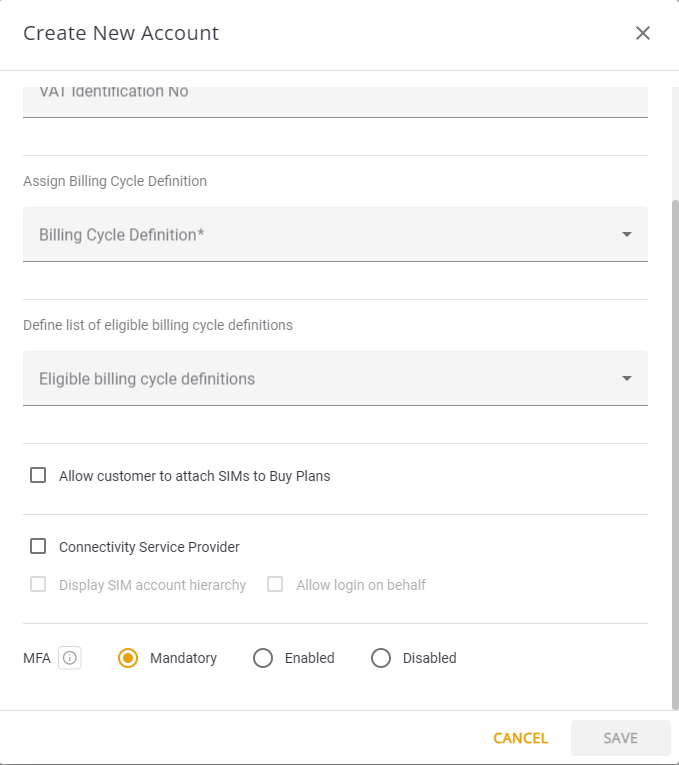
- Scroll down and check the Hide Connectivity Rate check box.
Here is an example screen capture of the Hide Connectivity Rate Feature for a New Account
Hide Connectivity Rate for Existing Account
To hide connectivity rates for an existing account, do these steps:
- Select My Sub-Accounts from the sidebar menu.
- Scroll the table and select and account to display the Account Details page.
- Select the Account tab.
- Check the Hide Connectivity Rate option.
Here is an example screen capture of the Hide Connectivity Rate Feature for an Existing Account