View Transaction Details
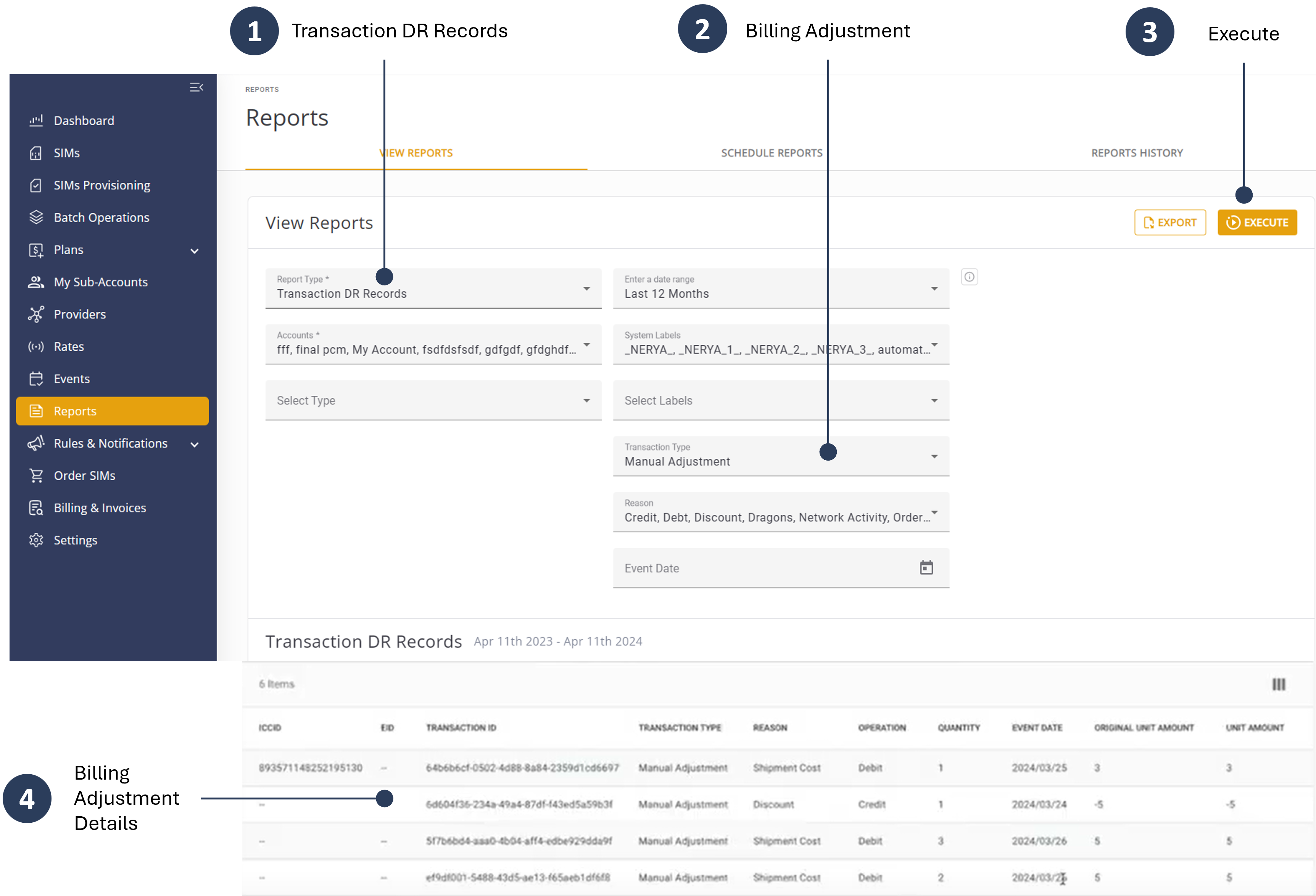
When a billing adjustment via batch operation is complete, it is recommended you verify the updated data in the Transaction Details report. To display the transaction details, do these steps:
- Select Reports from the sidebar menu.
- Report Type and select Transaction DR Records.
- Select an Account and enter the Report parameters.
- Click Execute to update the Transaction DR Records table.
- Scroll the page and review the batch operation data in the Transaction DR Record) table.
Here is a screen capture of the Transaction DR Records for an example billing adjustment.